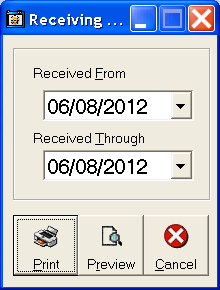
To print the receiving report for the day, click Inventory: Purchase Orders: Receiving Report. The "Receiving Report" form will appear. Choose the date that merchandise was received to print the report.
Choose either Print or Print Preview. Print (default) will print the report on the default printer, Print Preview will show the report on screen. For help with the Print Preview function, see the Print Preview help page.
You will get a 2-page report.
The first page will show special orders, including the Sale Number, Customer Name, Customer Telephone Number, Quantity, Description, and Style Number. You can use this report to call customers when their special orders come in, to setup delivery or pickup, instead of having to pull each record to look up the customer's information.
The second page will show all stock orders, including the Vendor, Quantity, Description, and Style Number.